Appearance
R2 Storage Module
Cloudflare R2 integration for VideoSphere. Provides utility functions for generating presigned URLs and managing temporary video storage.
Overview
Module: lib/r2.ts
Purpose: S3-compatible Cloudflare R2 client for direct browser-to-R2 uploads
Features:
- Multipart video uploads via presigned part URLs (browser uploads through
POST /api/uploads/presign) - Single-object presigned PUT URLs for draft and livestream thumbnails (15 minute expiry)
- Presigned download URLs (1 hour expiry)
- Object deletion and server-side streaming reads for distribution
- Environment validation
Environment Setup
Create an R2 account and bucket in Cloudflare Dashboard:
Cloudflare Dashboard → Storage & databases → R2 Object Storage → Overview → Create bucket
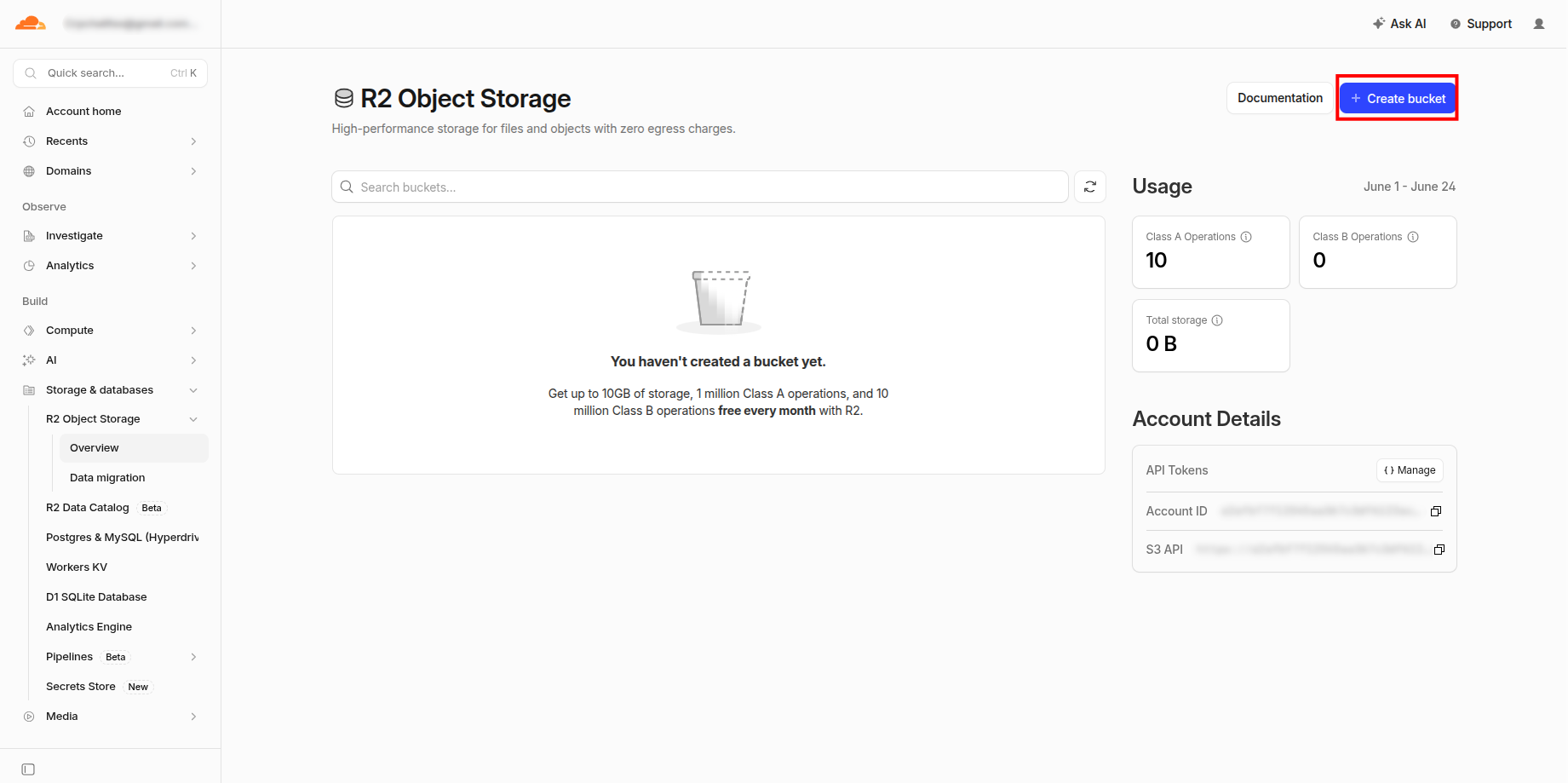
Call it
videosphere-uploadsand keep the defaults.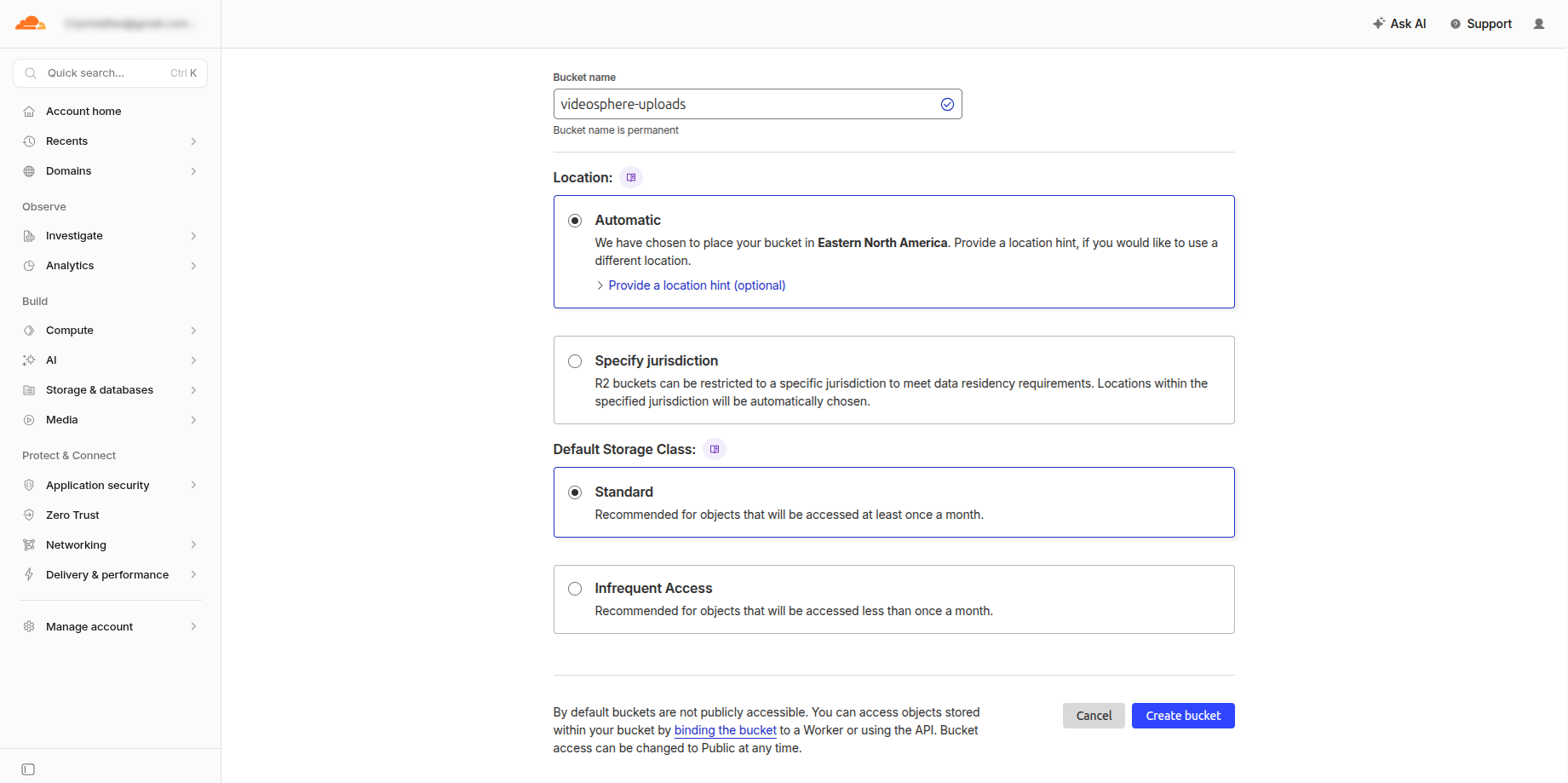
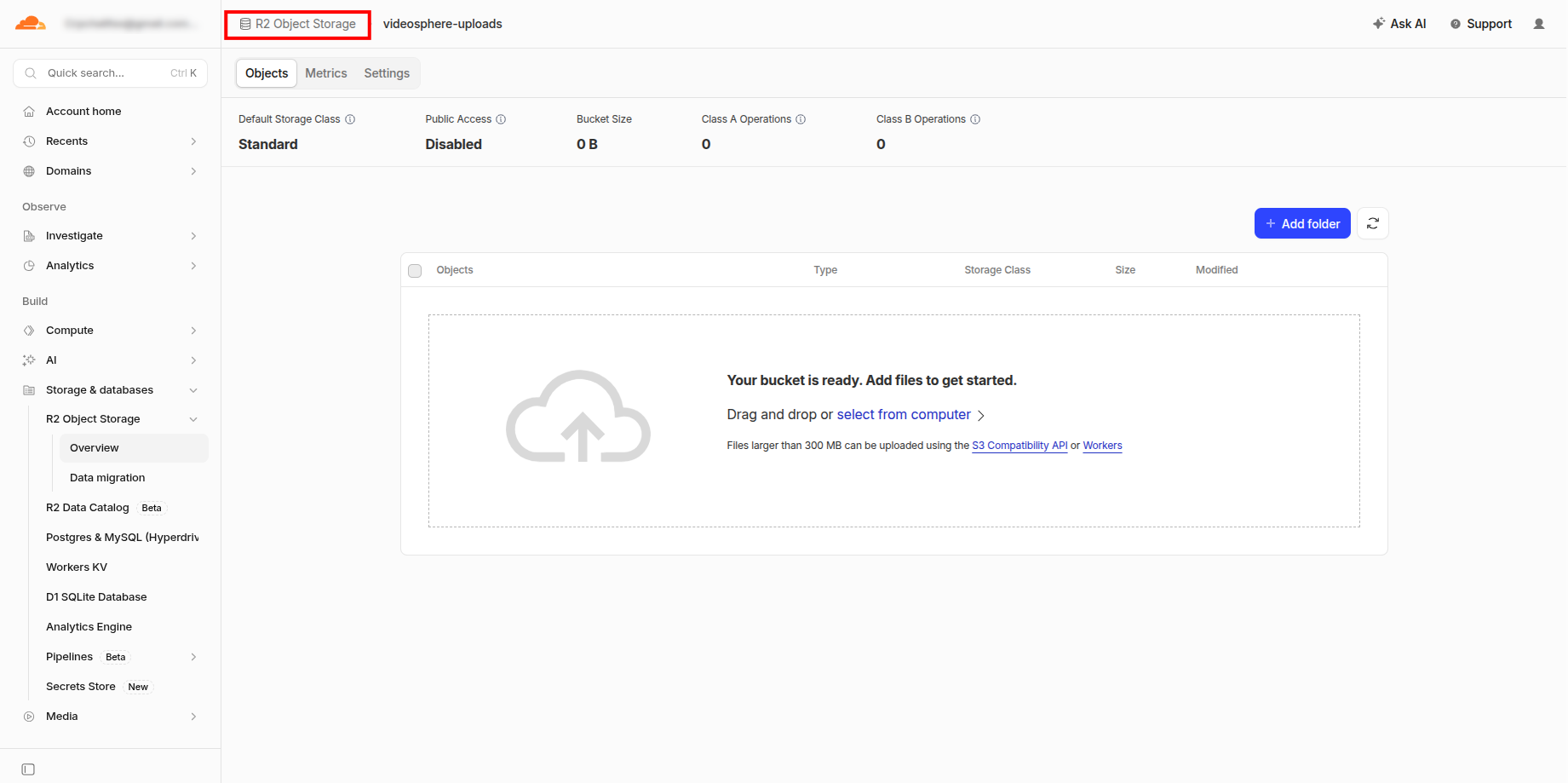
Click on R2 Object Storage
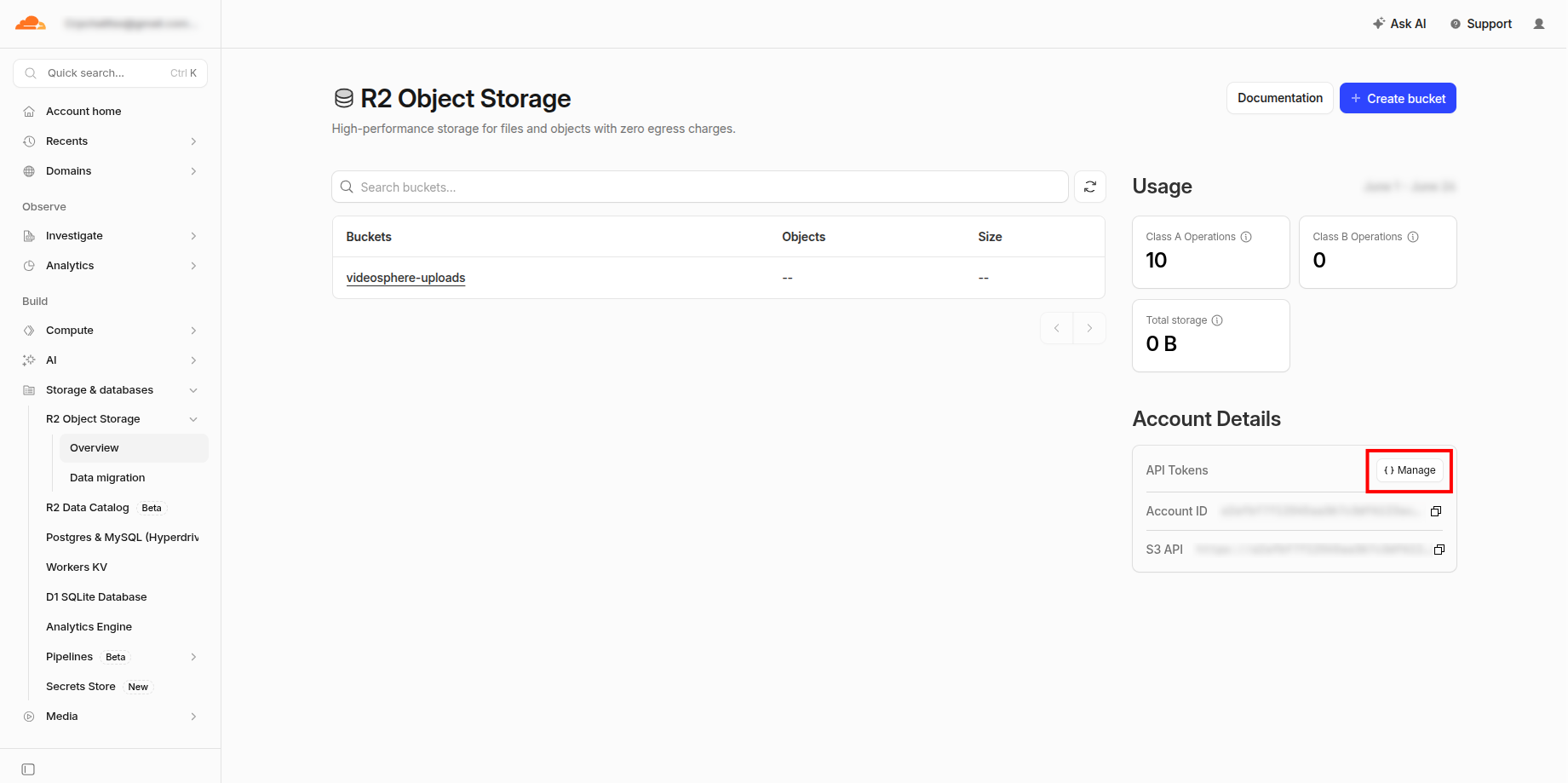
Account Details → Manage
Account API Tokens → Create Account API token
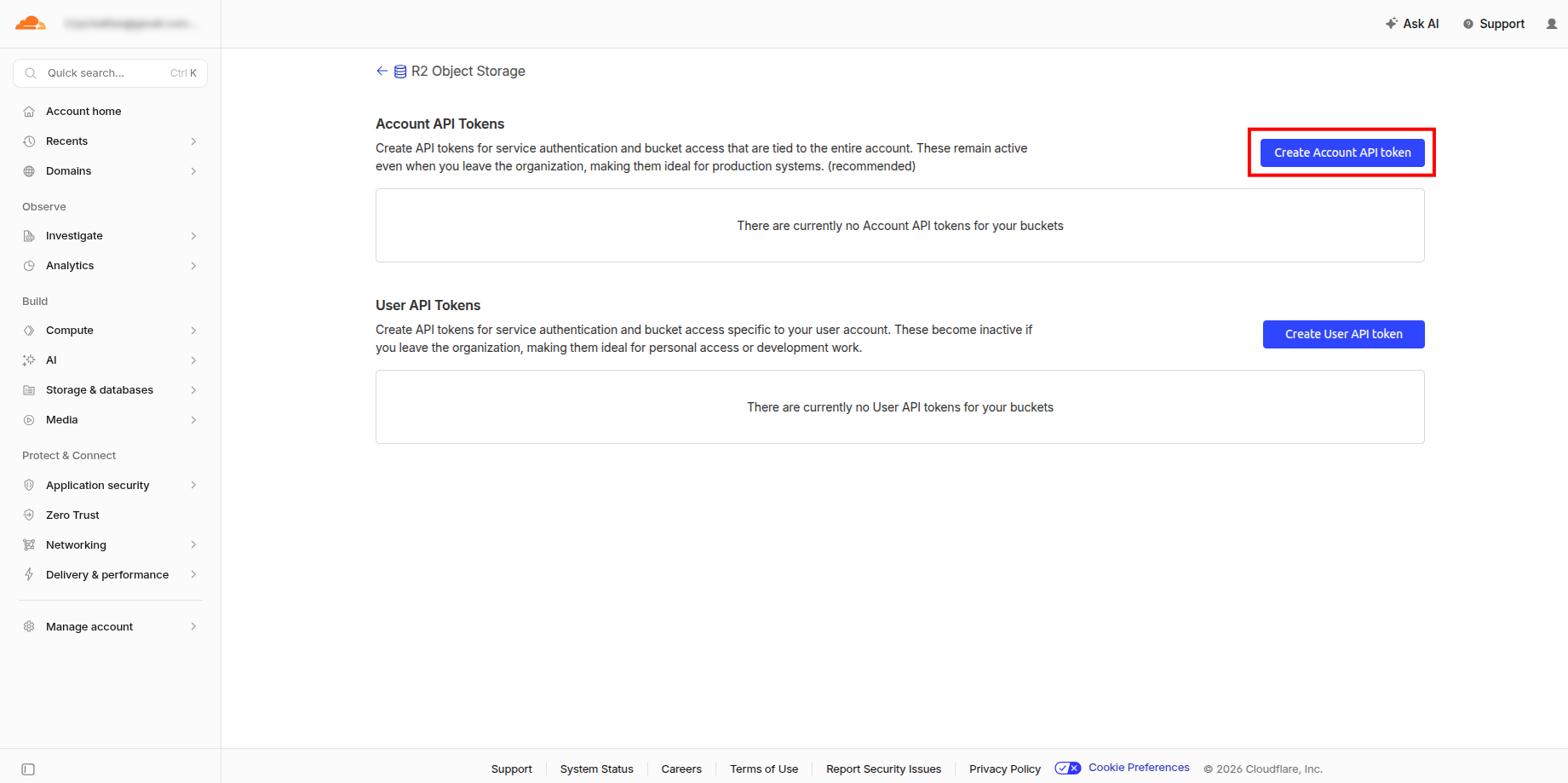
Create Account API Token
- Permissions:
Object Read & Write - Specify bucket(s):
Apply to specific buckets onlyand choosevideosphere-uploads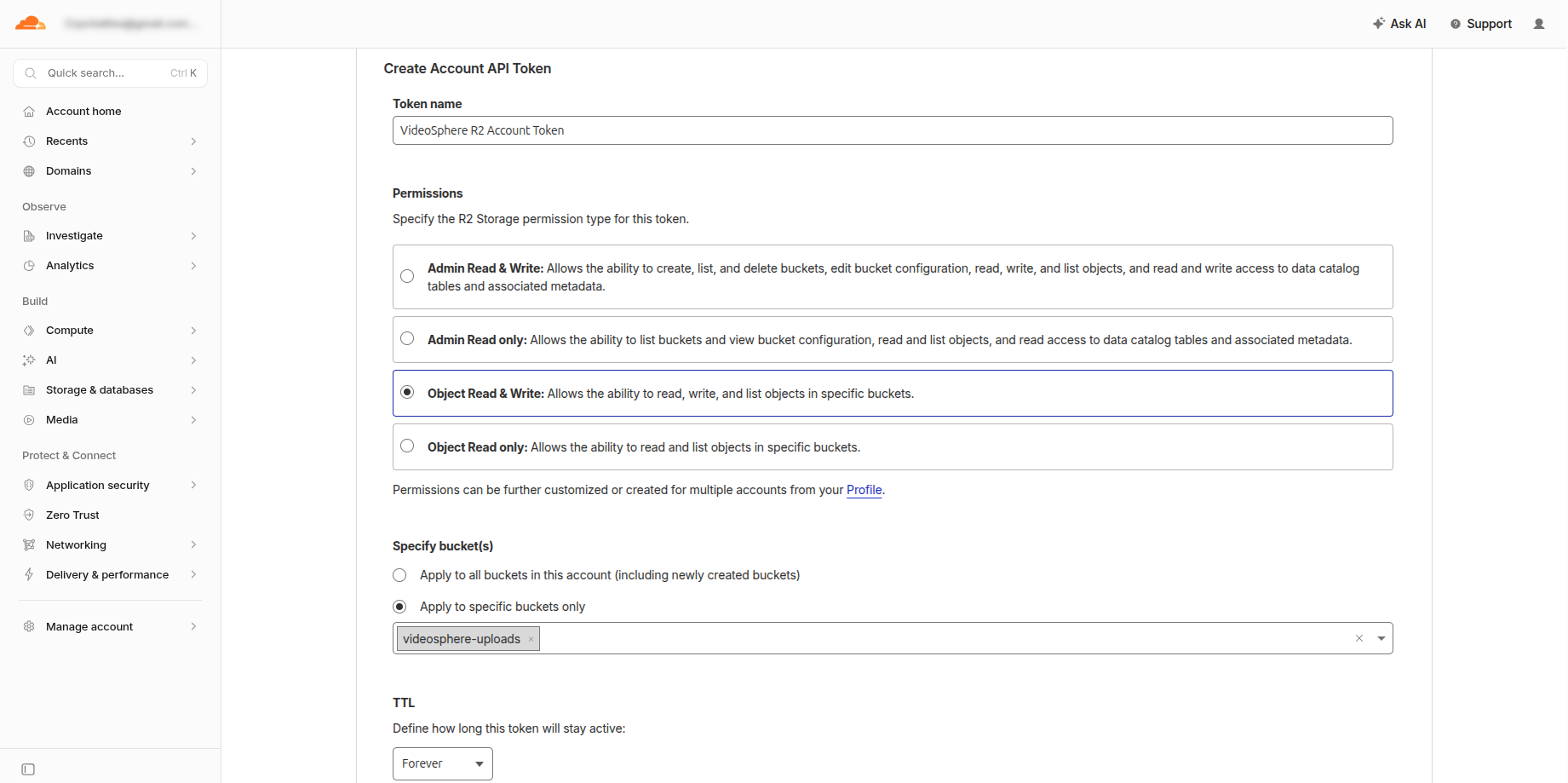
Add credentials to
.env.localfor local dev or Docker Compose (--env-file .env.local), or to your Portainer stack Environment variables (hint: Account ID is in Account Details from step 4):bashR2_ACCOUNT_ID=your-account-id R2_ACCESS_KEY_ID=your-access-key R2_SECRET_ACCESS_KEY=your-secret-key R2_BUCKET_NAME=videosphere-uploads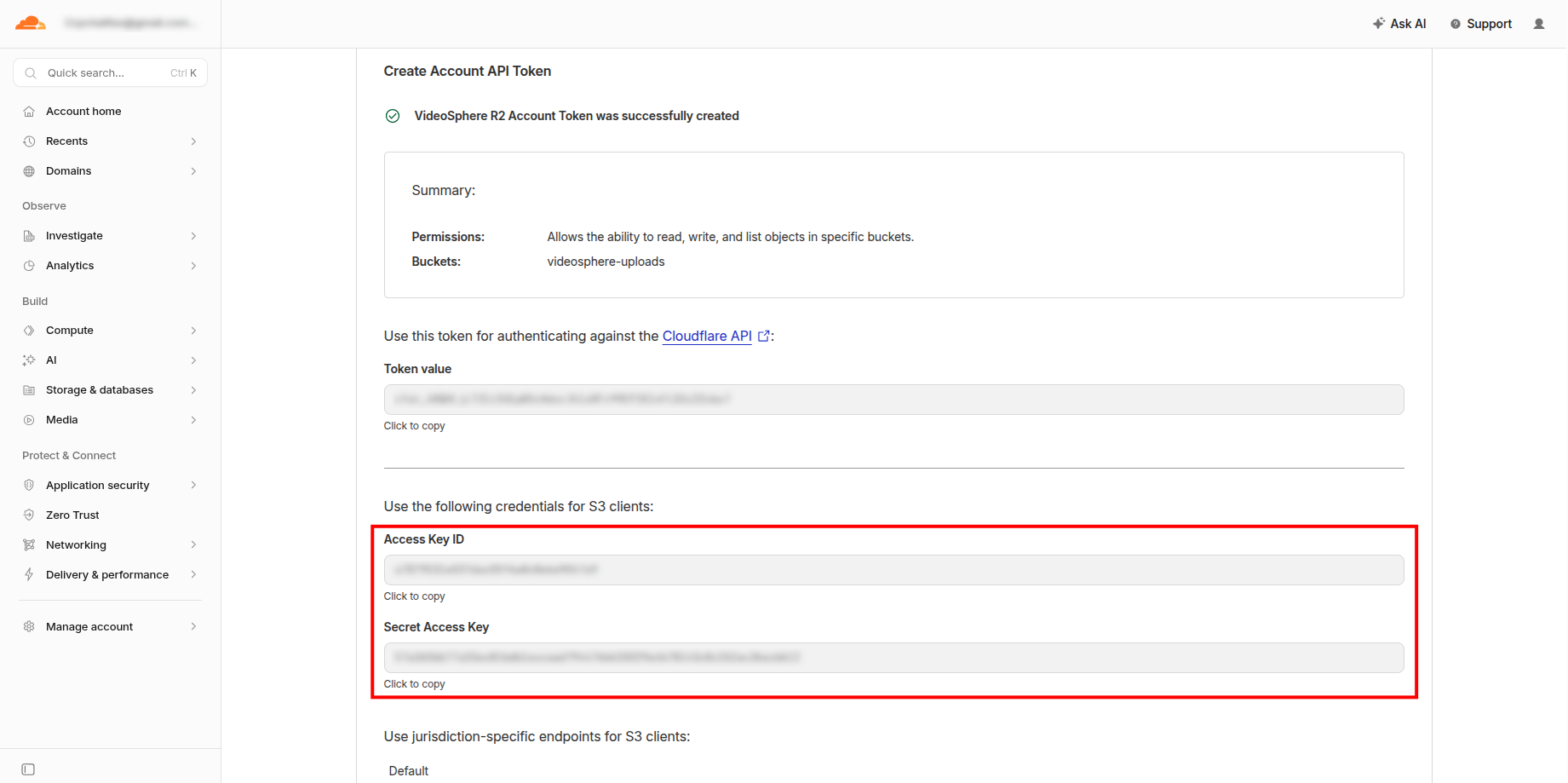
Click on R2 Object Storage:
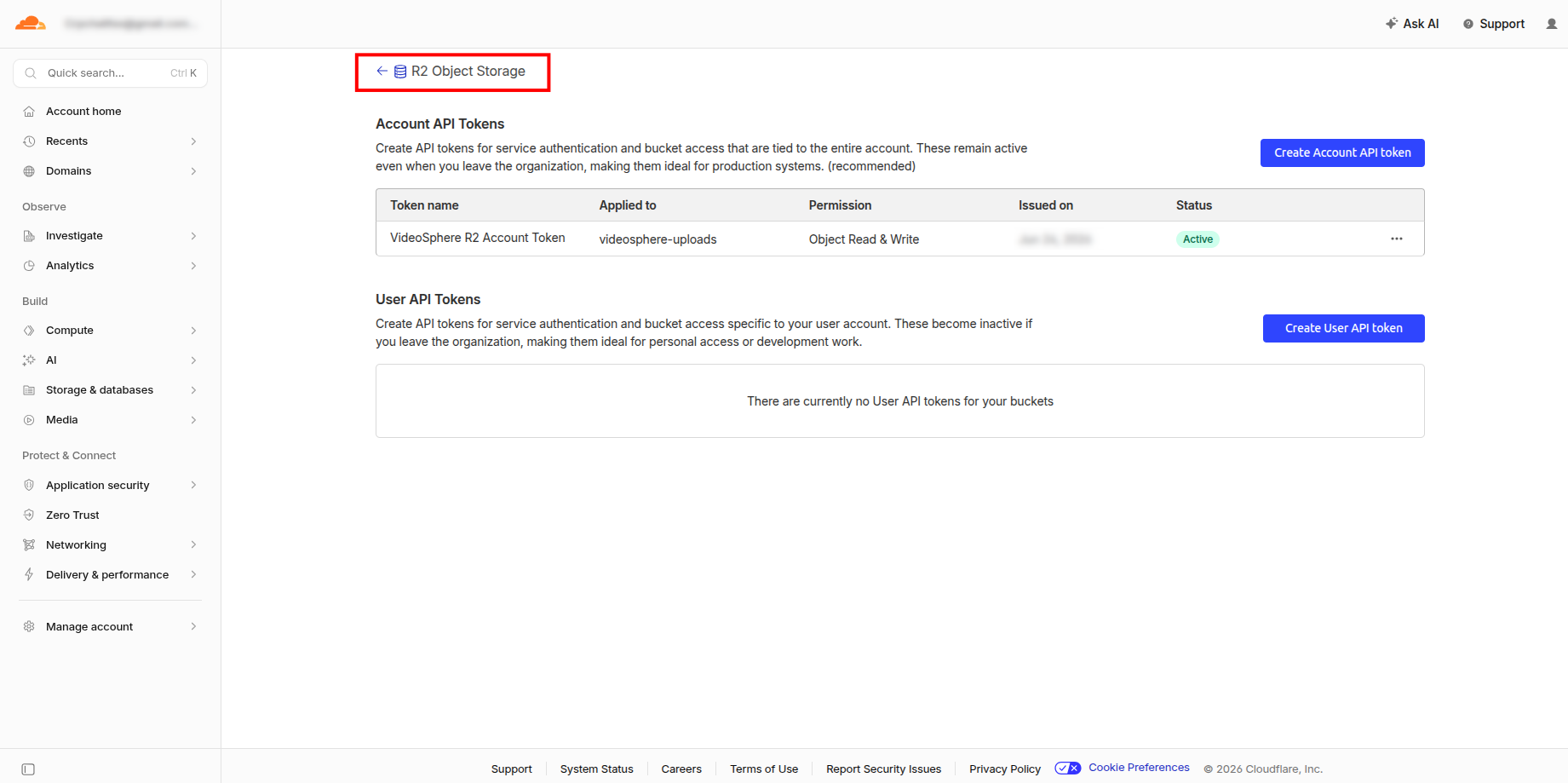
Click on your new bucket:
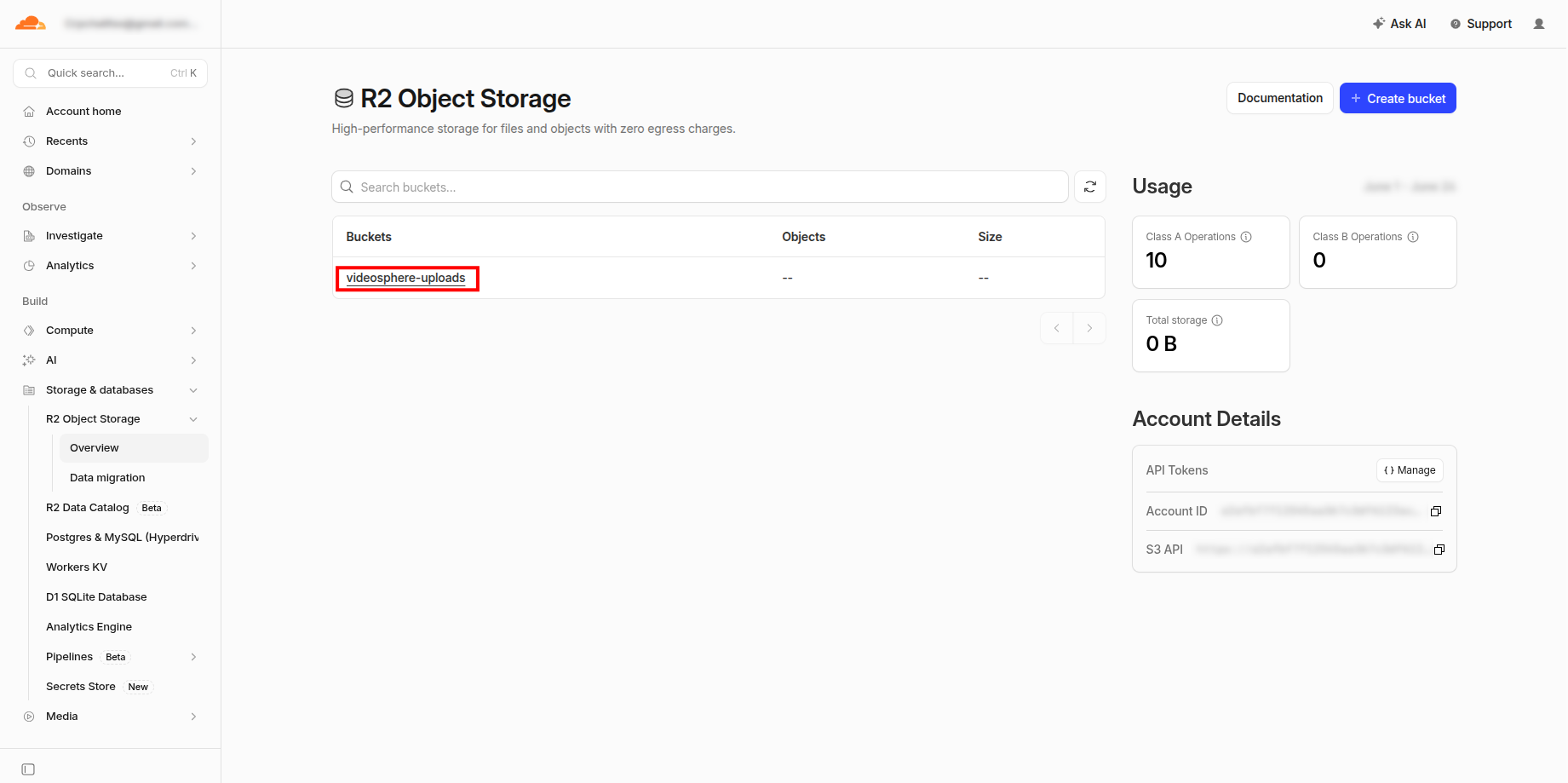
Go to the bucket Settings:
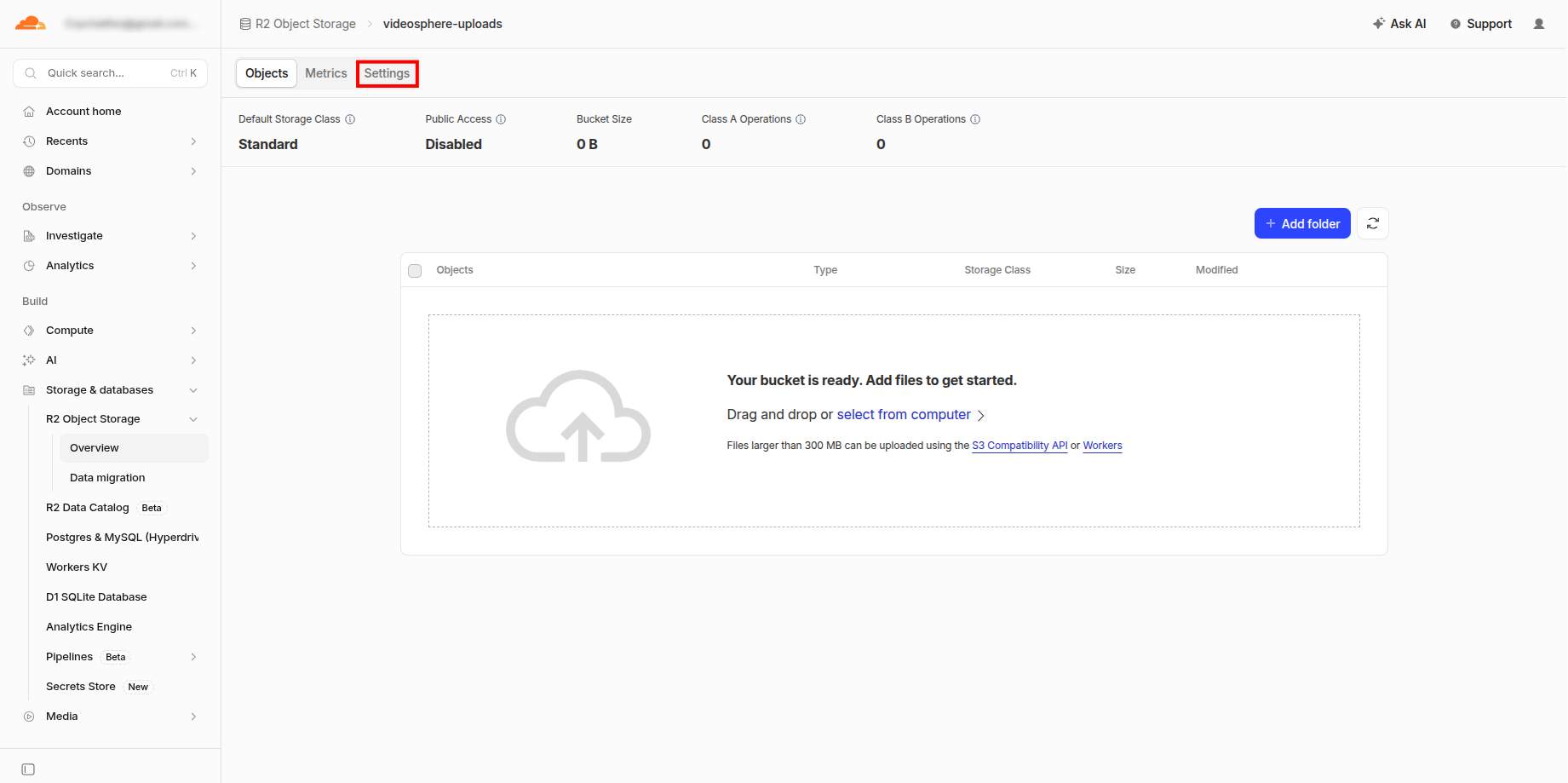
Go to CORS Policy:
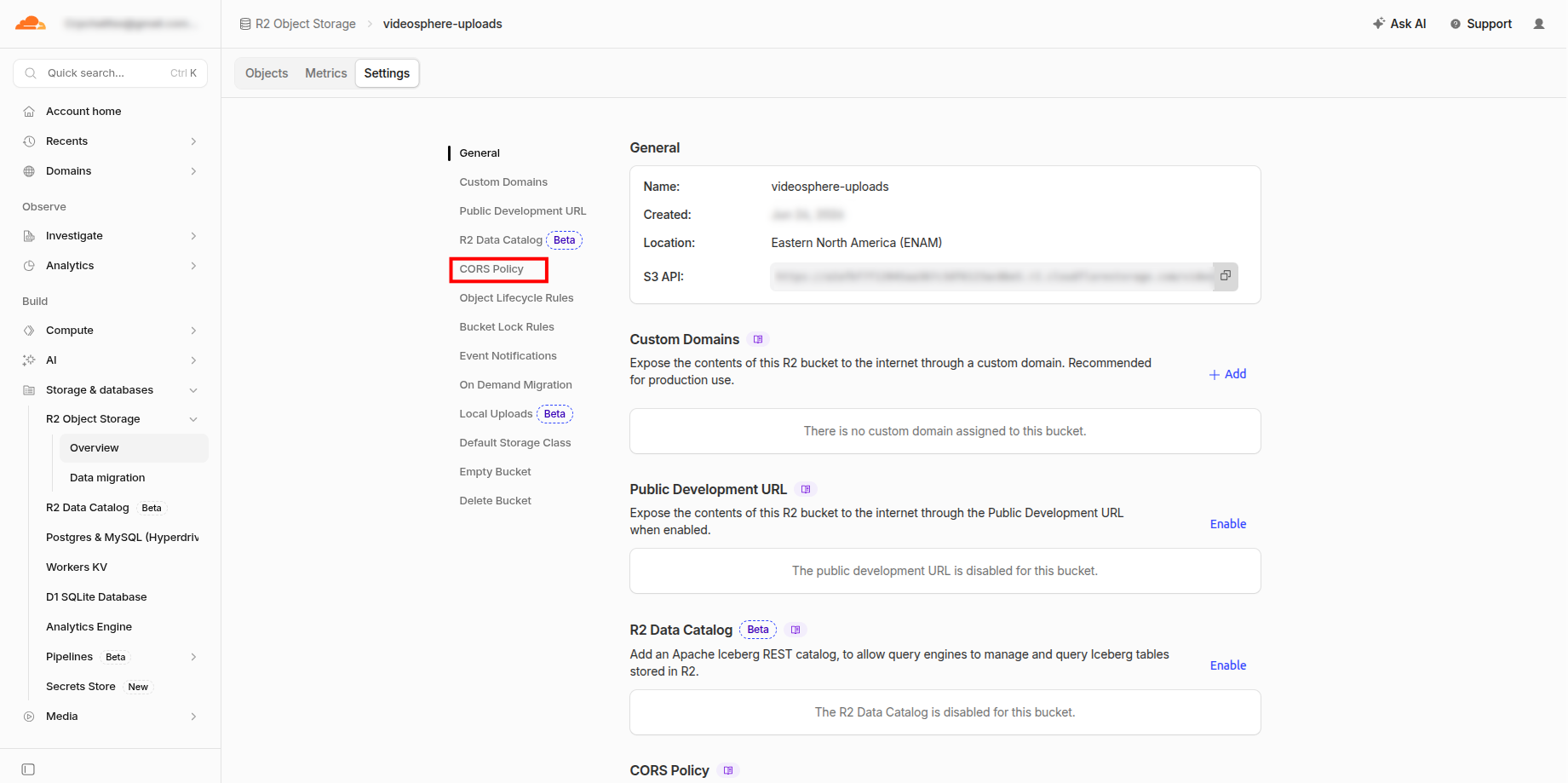
Add a CORS Policy:
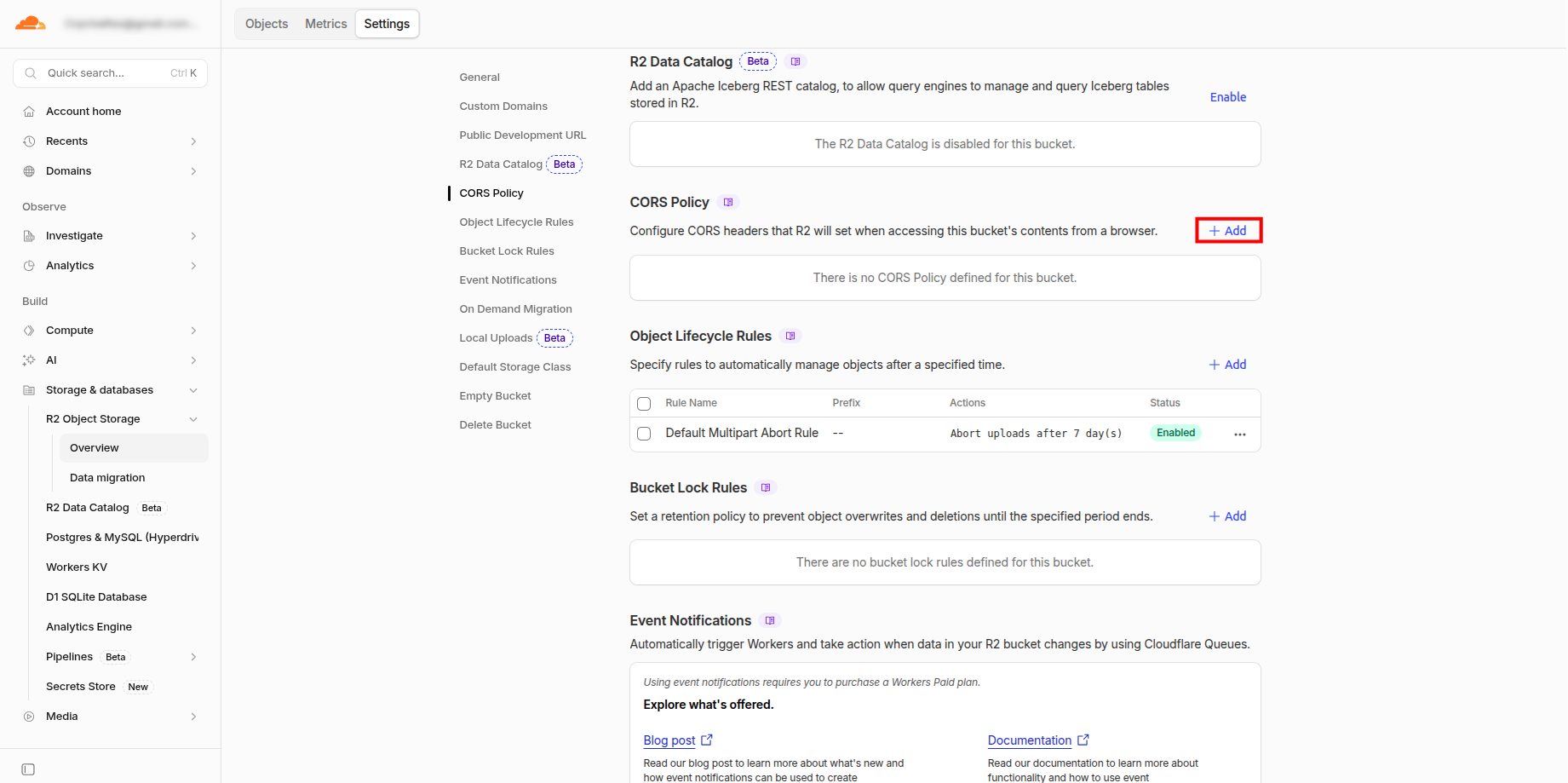
Copy and Paste the following (change the domain):
[
  {
    "AllowedOrigins": [
      "https://mydomain.com"
    ],
    "AllowedMethods": [
      "GET",
      "PUT",
      "POST",
      "DELETE",
      "HEAD"
    ],
    "AllowedHeaders": [
      "*"
    ],
    "ExposeHeaders": [
      "ETag"
    ],
    "MaxAgeSeconds": 3600
  }
]
If you need multiple origins (for example local and production), add each to
AllowedOrigins:json"AllowedOrigins": [ "http://localhost:9624", "http://192.168.1.38:9624", "https://mydomain.com" ]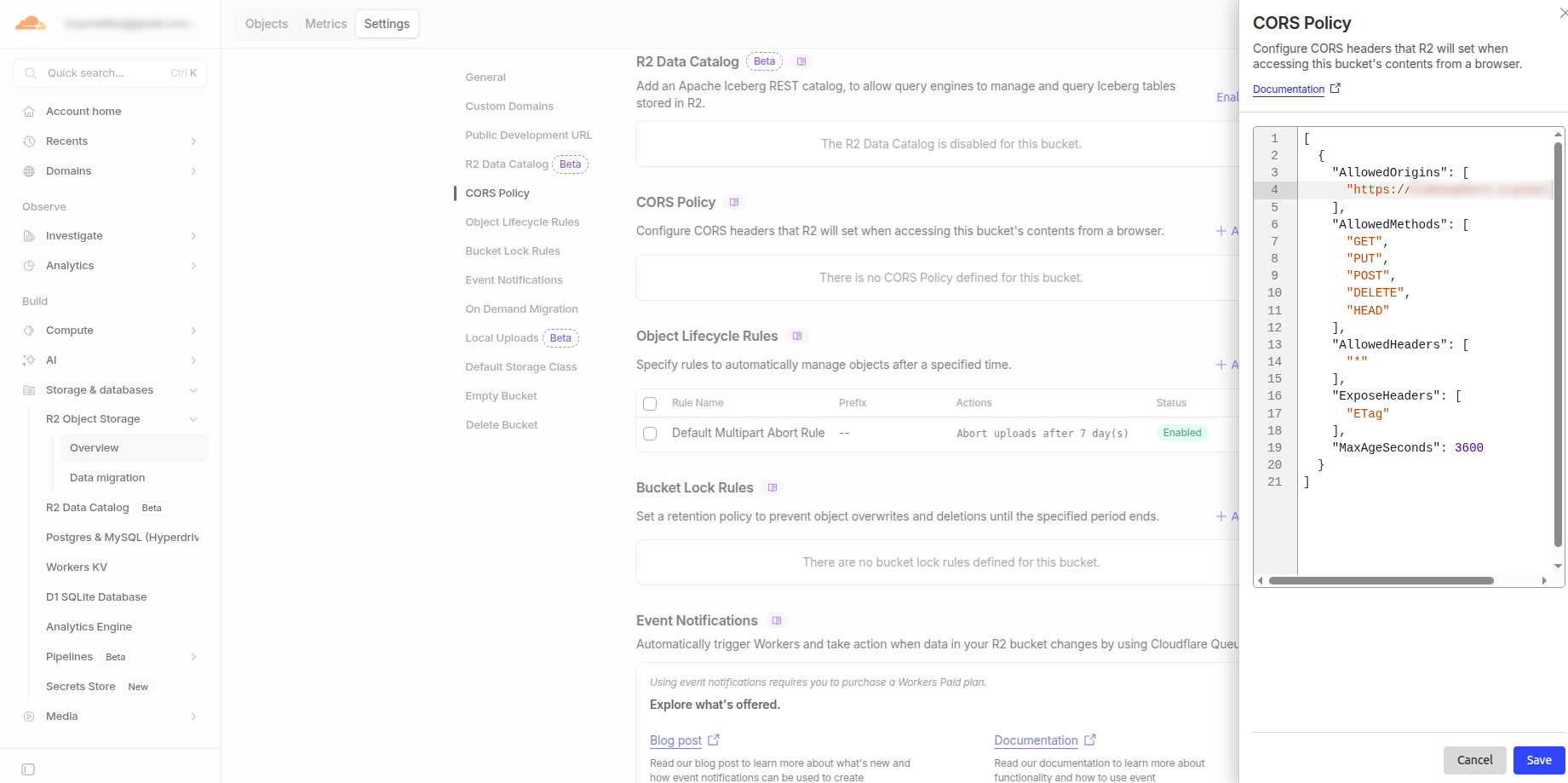
Edit Object Lifecycle Rules
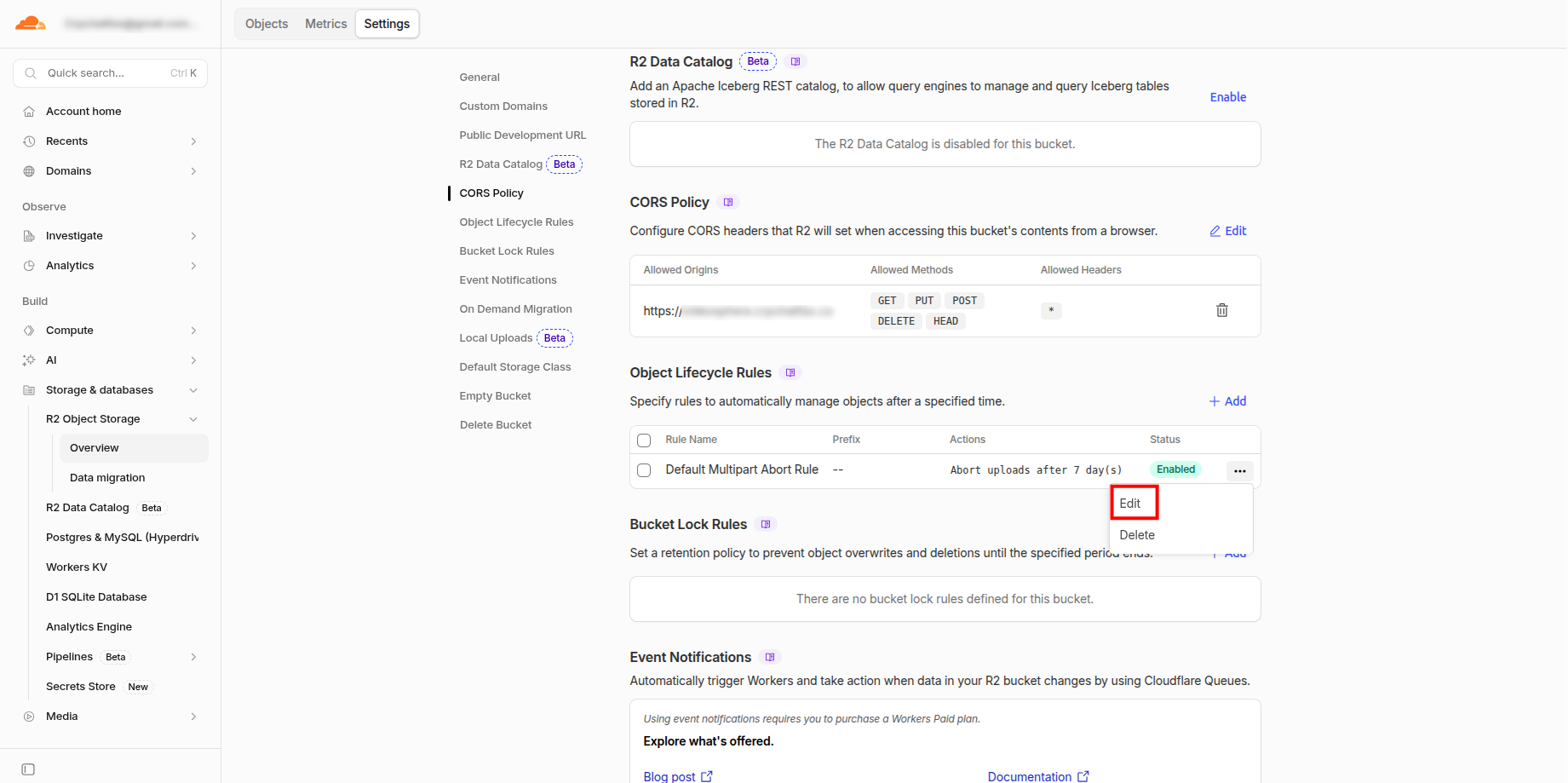
Object Lifecycle Rules
Suggested rules (adjust to your retention needs):
- Delete uploaded objects after
2Days(safety net for abandoned staging files; successful uploads are deleted by the app after distribution) - Abort incomplete multipart uploads after
1Day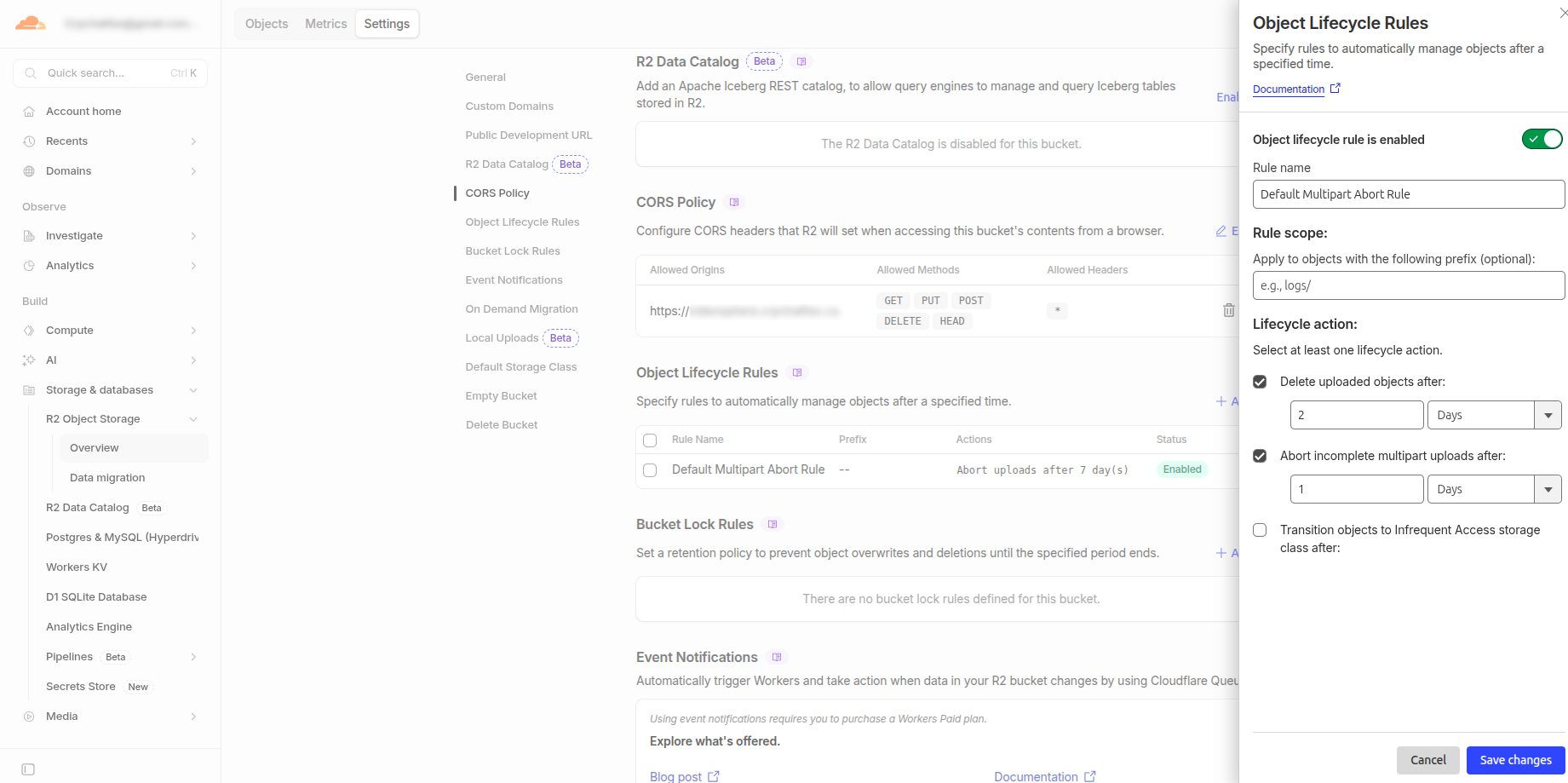
- Delete uploaded objects after
API Reference
Video uploads use multipart presigned part URLs (createMultipartUpload, getPresignedUploadPartUrls, completeMultipartUpload). Thumbnail uploads use single-object presigned PUT URLs (getPresignedUploadUrl).
getPresignedUploadUrl(key, contentType, contentLength)
Generate a presigned URL for a single PUT upload (draft and livestream thumbnails).
Parameters:
key(string): Object path in R2 (e.g.,temp/draft-thumbnail-pending/user-123/draft-456/uuid.jpg)contentType(string): MIME type (e.g.,image/jpeg)contentLength(number): Exact file size in bytes (validated at the API layer; not signed in the URL because browsers setContent-Lengthautomatically)
Returns: Promise<string> — Presigned PUT URL (expires 900 seconds)
Security:
- Content-Type is part of the signature; clients cannot upload a different MIME type
- 15-minute expiry limits replay of abandoned thumbnail presigns
Example:
typescript
const url = await getPresignedUploadUrl(
  "temp/draft-thumbnail-pending/user-123/draft-456/abc.jpg",
  "image/jpeg",
  204800
);

fetch(url, {
  method: "PUT",
  body: fileBlob,
  headers: { "content-type": "image/jpeg" }
});
Multipart video uploads
Browser video uploads go through POST /api/uploads/presign, which calls:
computeMultipartPlan(fileSize)— 32 MiB parts by defaultcreateMultipartUpload(key, contentType)getPresignedUploadPartUrls(key, uploadId, partCount, expiresInSeconds)— part URLs expire in 12 hours (slow-connection uploads)
Completion is POST /api/uploads/[jobId]/complete with part ETags. See app/api/uploads/presign/route.ts and app/api/uploads/[jobId]/complete/route.ts.
getObjectUrl(key)
Generate a presigned URL for downloading files from R2.
Parameters:
key(string): Object path in R2
Returns: Promise<string> - Presigned GET URL (expires 3600 seconds)
Use Cases:
- Distribution engine reading video files
- Admin access to uploaded files
- Download endpoints
Example:
typescript
const url = await getObjectUrl("temp/uploads/user-123/video.mp4");

// Distribution service fetches from this URL
const response = await fetch(url);
const videoBuffer = await response.arrayBuffer();
deleteObject(key)
Delete an object from R2.
Parameters:
key(string): Object path to delete
Returns: Promise<void>
Use Cases:
- Cleanup after successful distribution (
deleteObjectin the distribute pipeline) - Remove failed or abandoned uploads (often supplemented by bucket lifecycle rules)
Example:
typescript
await deleteObject("temp/uploads/user-123/video.mp4");getBucketName()
Get configured bucket name (for debugging/display).
Returns: string
getR2Endpoint()
Get R2 endpoint URL (for debugging/display).
Returns: string - e.g., https://account-id.r2.cloudflarestorage.com
Architecture
Presigned upload flow (video)
Client                    Next.js API                      R2
  |                            |                            |
  +-- POST /api/uploads/presign -> Authenticate, create job   |
  |                            +-- createMultipartUpload ---->|
  |                            +-- getPresignedUploadPartUrls |
  |    <--- { parts[], key } ---+                              |
  |                            |                            |
  +-- PUT part 1..N (each url) ----------------------------->|
  |                            |                            |
  +-- POST /api/uploads/[jobId]/complete ------------------>|
  |                            +-- completeMultipartUpload --->|
  |                            +-- verify size (HEAD)         |
  |                            +-- start distribution        |
  |                            +-- deleteObject (on success) |
Thumbnails use a single presigned PUT via getPresignedUploadUrl instead of multipart.
Key Design Decisions
AWS SDK for JavaScript
- Standard library for S3-compatible storage
- Works with Cloudflare R2 via endpoint configuration
- No additional Worker infrastructure needed
Presigned URLs vs Direct API
- Don't expose R2 credentials to client
- Client uploads directly to R2 (fast, low server load)
- Server generates time-limited, content-restricted URLs
Multipart staging uploads
- Large files (up to 5 GB) upload in 32 MiB parts with long-lived part URLs
- Server verifies the completed object with HEAD before distribution
Path structure:
temp/uploads/{userId}/{timestamp}-{uuid}/{sanitizedFilename}- Organizes files by user and upload time
- UUID avoids collisions on concurrent uploads
- Filename sanitization strips
/and\to prevent path traversal
Error Handling
All functions throw descriptive errors:
typescript
try {
  const url = await getPresignedUploadUrl("", "image/jpeg", 1024);
} catch (error) {
  console.error(error.message);
  // → "Object key is required"
}
Common errors:
Missing required environment variable: R2_ACCOUNT_ID(or otherR2_*vars)Object key is requiredContent type is requiredContent length must be a positive numberFailed to generate upload URL for key "...": [AWS error]
Testing
Run tests:
bash
pnpm test __tests__/lib/r2.test.ts
pnpm test __tests__/lib/r2-multipart.test.ts
pnpm test __tests__/api/uploads/presign.test.ts
Tests cover:
- URL generation with correct expiry times
- Content-type signature validation
- Error handling
- Path sanitization
- Authentication checks
Security Best Practices
- Never commit credentials — Use
.env.local(gitignored) or Portainer stack secrets - Restrict API token permissions — Scope tokens to
Object Read & Writeon this bucket only - Use short-lived URLs — 15 minutes for single PUT thumbnails; multipart part URLs last up to 12 hours for slow uploads
- Lock content type — Prevents uploading the wrong MIME type on presigned PUTs
- Enable CORS on the bucket — Required for browser uploads to presigned URLs
- Lifecycle rules — Expire orphaned
temp/objects if distribution never runs
Troubleshooting
"Unable to locate credentials"
Solution: Ensure R2_ACCESS_KEY_ID and R2_SECRET_ACCESS_KEY are set (`.env.local`, Compose env file, or Portainer stack)."NoSuchBucket"
Solution: Verify R2_BUCKET_NAME exists and API token has access"SignatureDoesNotMatch"
Possible causes:
- Client sent different Content-Type than presigned URL specifies
- Clock skew between server and AWS (check system time)
- Credentials are invalid or expired
"RequestTimeTooSkewed"
Solution: Sync your system clock (time difference > 15 minutes with AWS)Related Features
- VU-04: Videos uploaded to R2 as temporary staging storage
- NF-08: Presigned URLs are time-limited (15 minutes for single PUT; multipart parts up to 12 hours)
- VU-07: Staging objects are deleted after successful distribution; bucket lifecycle rules catch orphans
- VU-01: Support uploads up to 5 GB
- VU-02: Supported formats: MP4, MOV, AVI, MKV, WebM
Dependencies
@aws-sdk/client-s3— S3 client for R2@aws-sdk/s3-request-presigner— Presigned URL generation@aws-sdk/lib-storage— Server-side multipart uploads (e.g. YouTube import)